Spatial Light Modulator Software
- GUI Software
- SLM Pattern Generator
- SLM SDK
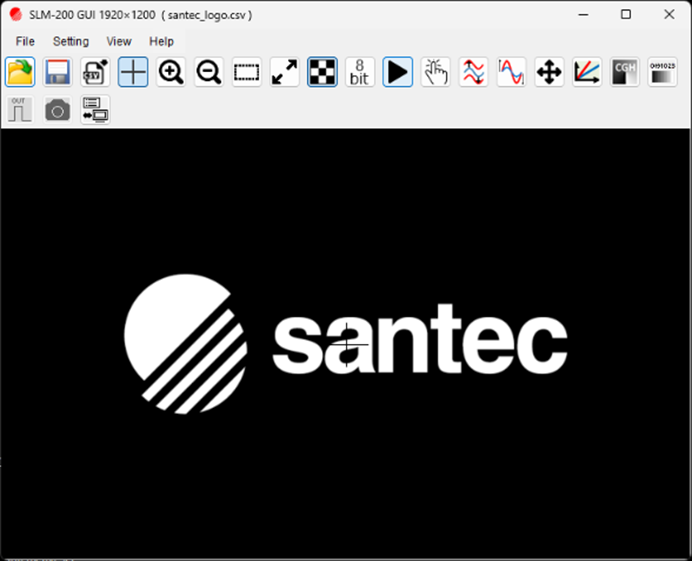
GUI Software
The GUI software provides an intuitive environment for basic SLM operations. Pattern display, loading, sequential display settings, and other operations can be easily performed, allowing even first-time users to follow the steps.
Key Features
- DVI mode/USB mode switching
- Wavelength setting
- Display of pattern data in BMP and CSV
- Sequential playback of multiple images
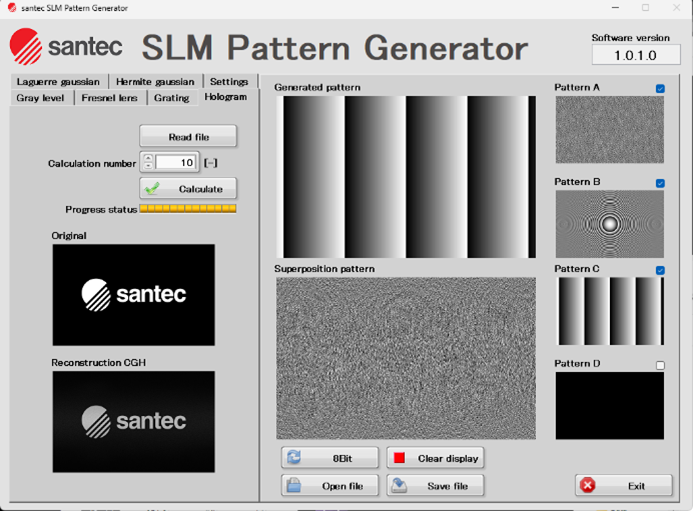
SLM Pattern Generator
The SLM Pattern Generator can create computer-generated holograms (CGHs), generate basic optical patterns such as diffraction gratings and lenses, and superimpose multiple patterns. Created patterns can be viewed and saved on the GUI.
The following patterns can be generated:
- Laguerre Gaussian
- Hermite Gaussian
- Gray level
- Fresnel lens
- Grating
- Hologram
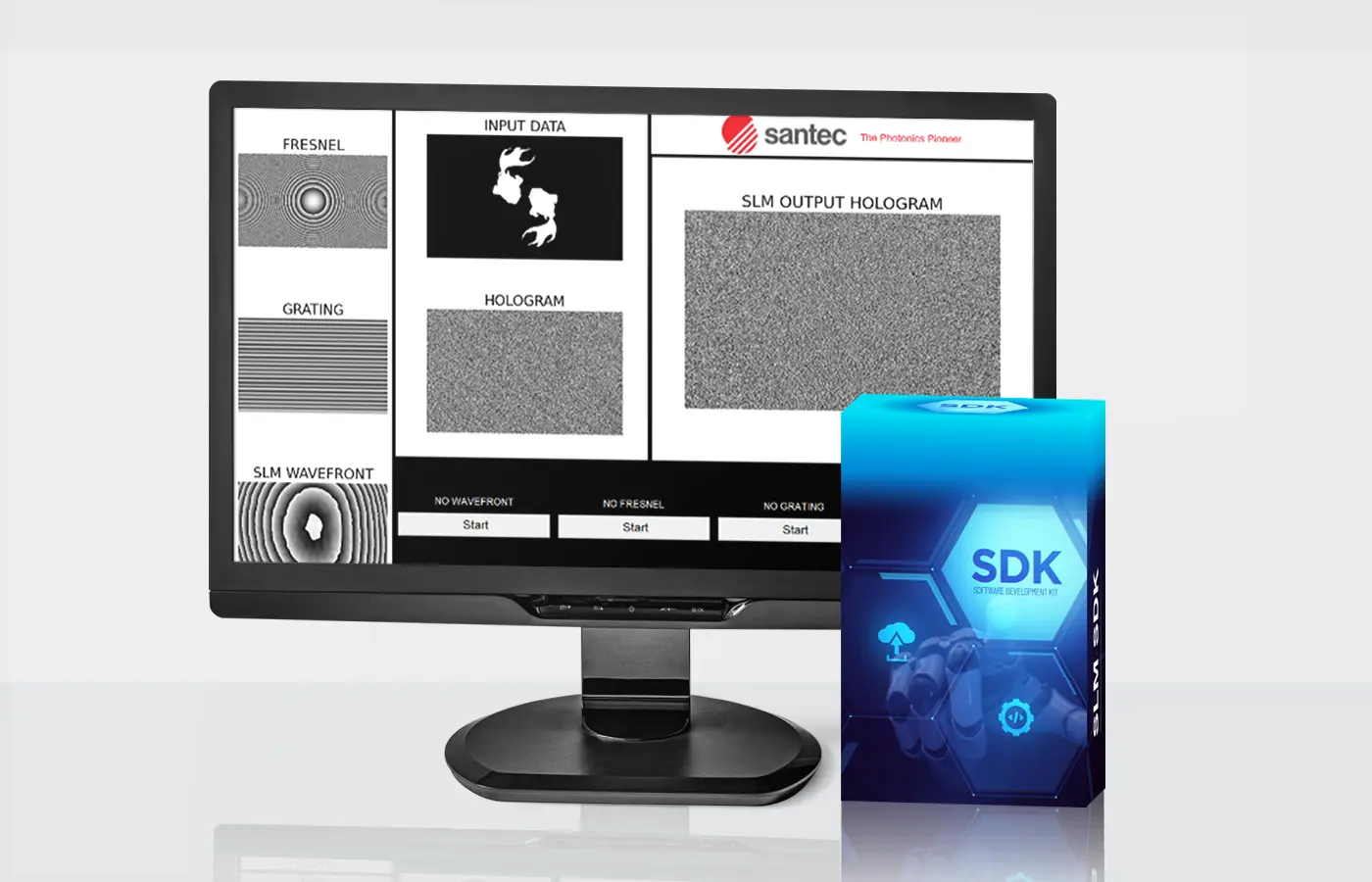
SLM SDK
SDK (Software Development Kit) is a development kit that compiles the libraries, documentation, and samples necessary for efficient software development for a specific platform or application.
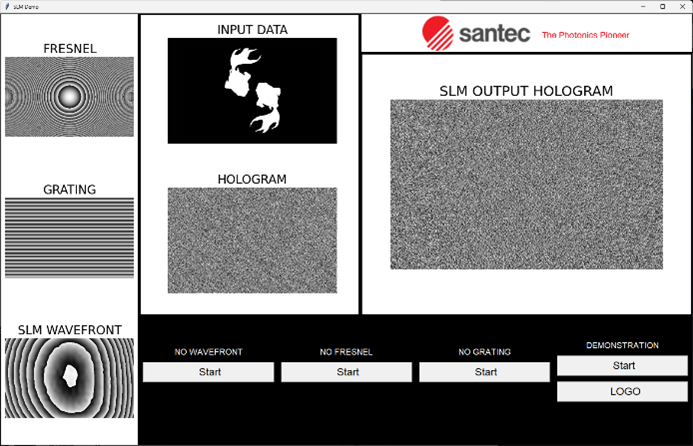
Developing Spatial Light Modulator (SLMs) using a variety of development languages can improve the controllability and scalability of optical systems. The SDK provides an environment in which timing can be set directly from the program, allowing for more flexible control and easier integration with external devices than GUI operation. This is expected to improve the efficiency of optical experiments and device control.
Using the SDK, it is possible to combine an SLM with devices such as cameras, lasers, and motorized stages, and control the distribution of light while exchanging data in real time. By updating holograms based on measurement results and synchronizing the timing of changes to the shape of light, it is possible to meet a variety of research and development needs. In addition, programming operating procedures can lead to automation of operations and improved reproducibility.
Applications include adaptive optics with wavefront compensation, particle manipulation with optical tweezers, laser processing, optical lithography, etc. In these applications, control via the SDK supports stable operation and flexible system construction.
Key Features
[DVI mode]
- Creating a drawing window on LCOS
- Displaying image data and CSV files
- Displaying sequence data
[USB mode]
- Image and sequence data transfer and playback via USB
- Editing the playback order
- Sequential playback by external trigger
[common]
- Wavelength setting
Sample source
Python
Visual Studio C++, C#, VB
LabVIEW
MATLAB
Download
Frequently asked questions
- Q. Is it possible to specify the frame rate?
- Yes, please choose either 60Hz or 120Hz when ordering.
(Frame rates cannot be changed after purchase.)
Related Articles
-
 BLOG
BLOGWhat is a Spatial Light Modulator?
-
 BLOG
BLOGHow to Select Spatial Light Modulators and Necessary Characteristics
-
 BLOG
BLOGApplications of Spatial Light Modulators
-
 CASE STUDY
Examples of Spatial Light Modulator Implementation
-
 WEBINAR
Archived Webinars on Spatial Light Modulators
-
 FELLOWSHIP
Spatial light modulator provided free of charge for research purposes
Contact Us/Request Additional Information